

YouTube has become one of the most competitive platforms on the internet. With millions of creators publishing videos every day, standing out requires consistency, creativity, and efficiency. But filming, recording, editing, and publishing daily content can quickly lead to burnout, especially if you’re a solo creator.
This is where AI Twins come in, a revolutionary approach that lets creators multiply themselves digitally to produce more videos faster, while still keeping their personal brand and voice intact. You’re not replacing yourself, you’re scaling yourself.
In this article, we’ll break down what AI Twins are, why they’re useful for YouTube, and how to make videos with them, step-by-step. By the end, you’ll understand how to leverage this technology to transform your YouTube workflow.
What Is an AI Twin?
An AI Twin is a digital replica of you, incorporating your voice, face, expressions, and speaking style, that can appear in videos and perform scripts on your behalf. It’s essentially a digital version of yourself that produces content without you being on camera every time.
There are different kinds of AI twin implementations:
- Visual Twins: These create a realistic avatar based on your photos or videos that can appear on screen.
- Voice Twins: These clones your unique vocal tone and speaking style, so the AI twin sounds like you.
Together, these elements mean you can create videos that look and sound like you, even when you’re not filming.
Why Use AI Twins for YouTube?
AI Twins are not just a novelty; they offer real strategic advantages for content creators:
1. Make Content Without Filming Every Time
With an AI Twin, you no longer need to roll the camera and act on cue for every single video. Once your digital twin is created, updating scripts and generating new videos becomes much faster.
This means less time fussing with cameras, lighting, makeup, or retakes, and more time focusing on content ideas.
2. Eliminate Repetitive Filming Tasks
Intros, outros, call-to-actions, and standard announcements can get repetitive. An AI Twin can handle them — saving you countless hours.
Imagine never recording a “subscribe and hit the bell” section again; it’s automatic.
3. Scale Across Formats and Platforms
Your AI Twin can generate content in different formats, long videos, YouTube Shorts, and even clips for TikTok, Instagram Reels, or ads, without reshooting.
That kind of scale helps reach audiences wherever they are.
4. Speak Multiple Languages
One of the biggest benefits of AI Twins is their ability to generate multilingual content. You can take the same script and have your twin speak it in Spanish, Hindi, French, or other languages without hiring voice talent or learning a new language yourself.
This dramatically expands your global reach.
5. Maintain Branding Consistency
AI Twins keep your face, voice, and messaging consistent across all videos, something that even seasoned creators struggle with when they’re tired or busy.
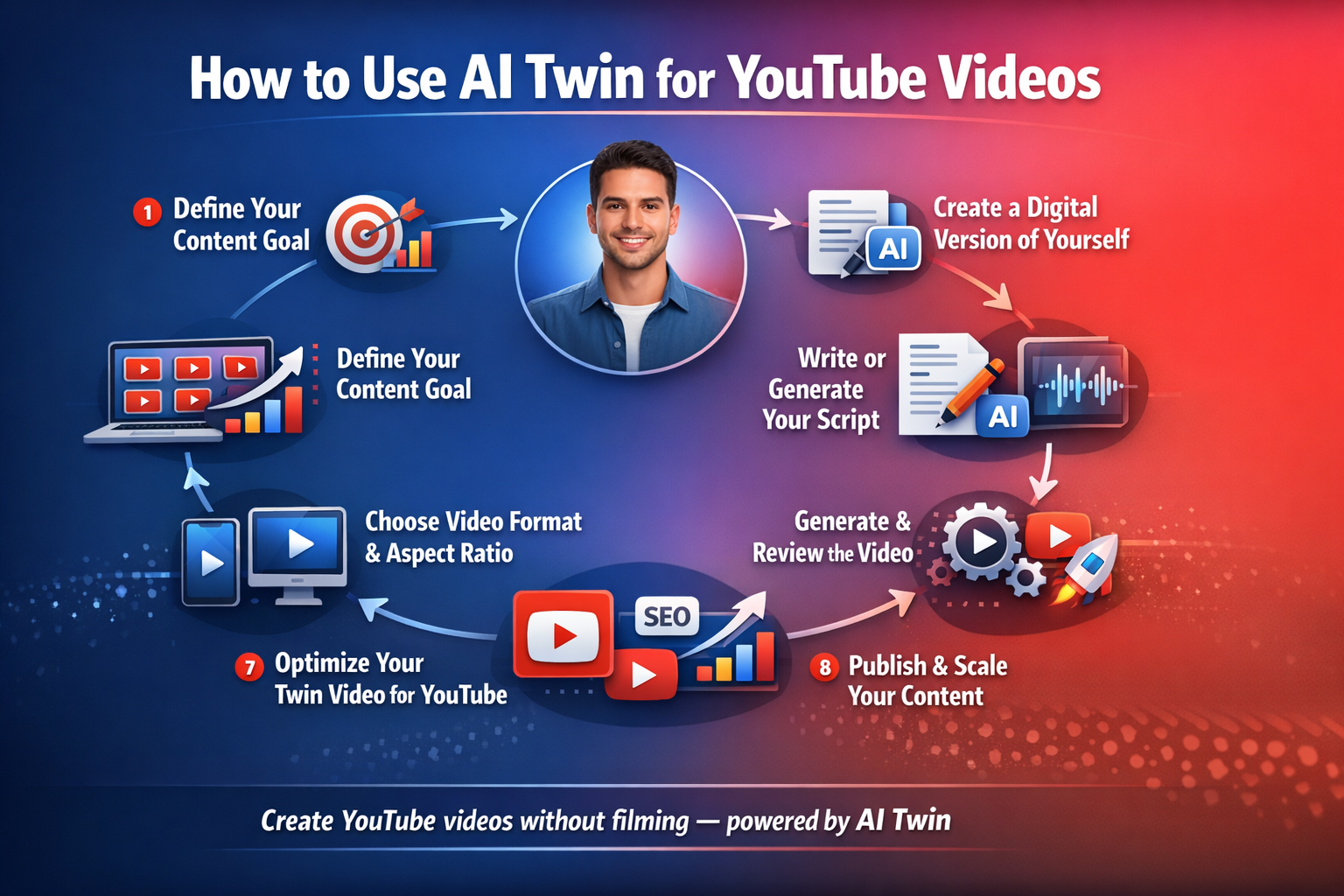
Step-by-Step: How to Create YouTube Videos with AI Twins
The idea of AI Twins might feel futuristic, but the process itself is surprisingly straightforward when you break it down.
Here’s how to do it:
1. Set a Clear Content Goal
Before you start, decide what kind of videos you’re creating:
- Educational tutorials?
- Vlogs?
- Product explainers?
- YouTube Shorts?
- Ads?
This matters because it dictates script length, tone, pacing, format, and even thumbnail ideas. Skipping this step can make your AI videos feel unfocused.
2. Create Your Digital Twin
Your first task is to generate your AI Twins using a tool like Tagshop.ai or similar platforms. This typically involves:
- Uploading clear photos or short videos of yourself
- Providing voice recordings
- Letting the platform generate a realistic AI twin in your likeness
This digital version forms the core of everything that comes next.
3. Generate a Conversational Script
Write scripts in the way you naturally speak. Avoid rigid, overly polished language, your audience will notice. Instead:
- Use short sentences
- Add natural pauses
- Include real-world phrasing
This keeps the delivery natural and improves engagement, especially for educational or personality-driven content.
4. Clone Your Voice
If possible, create a voice twin too. This makes your videos feel more authentic, maintaining your personal touch even when you’re not recording live audio.
People form subconscious connections to voices, so this step boosts trust and retention.
5. Define the Video Format
Decide whether your video will be:
- Landscape (16:9) for YouTube long-form
- Vertical (9:16) for YouTube Shorts or social media
- Square (1:1) for cross-platform reuse
Using the wrong format can hurt your reach before your video even gets a chance.
6. Generate the Video
With your script, twin, and voice ready:
- Input them into your AI video tool.
- Customize visuals, add captions, on-screen graphics, or B-roll.
- Render the video.
Always review the result, check pacing, lip-sync, and tone. Minor glitches break immersion quickly.
7. Optimize for YouTube
AI Twins help with production, but the rest of the YouTube fundamentals still matter. That includes:
- Writing compelling titles and descriptions
- Adding relevant tags
- Creating engaging thumbnails
- Hooking viewers in the first 5 seconds
These elements tell YouTube’s algorithm who should see your video, and they matter just as much as the content itself.
8. Publish and Iterate
Once your first video is successful, repeat the process. AI Twins are not a one-off trick; their real power lies in consistent output.
More videos mean more data, more learning, and faster channel growth.
Best Practices When Making AI Twin Videos
To get the best results, pay attention to these tips:
1. Use Human-like Scripts
Overly scripted or overly polished content often feels unnatural. Let imperfections help your twin sound real and relatable.
2. Keep It Short and Focused
Especially for Shorts and social content, focus on one clear idea per video.
3. Switch Up Context and Hooks
Even with the same twin, vary your hooks, captions, and visuals to keep content fresh. Repetition without variation leads to disengagement.
4. Respect Platform Norms
Different platforms have distinct styles. An AI twin video for YouTube Shorts should look and feel native to that format.
Future Trends: What’s Next for AI Twins
AI Twins are still evolving, and the future looks promising:
- Always-on Content Creation: Imagine your twin producing daily explainers or updates — without you filming every time.
- Hyper-Personalization: AI Twins could soon personalize videos based on viewer behavior or location.
- Multilingual Reach: Fluent AI twins will help creators break language barriers without translators.
- Brand Consistency at Scale: Even large teams can maintain consistent messaging with AI Twins.
Conclusion
AI Twins are a game-changing tool for YouTube creators. They let you scale content production, expand your reach, and stay consistent, all while preserving your unique voice and personality.
But remember: AI Twins are amplifiers, not replacements. You still control the creative vision; the twin accelerates execution.
If you’re struggling to keep up with the demands of regular uploads or want to expand across platforms without burning out, AI Twins could be the future of your channel.
Whether you’re a solo creator, brand marketer, or educator, understanding and using this technology will give you a huge advantage on YouTube in the years to come.
https://www.scriptbyai.com/submit-resources/